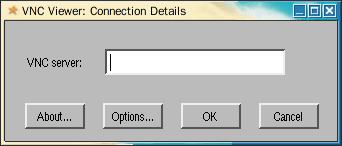
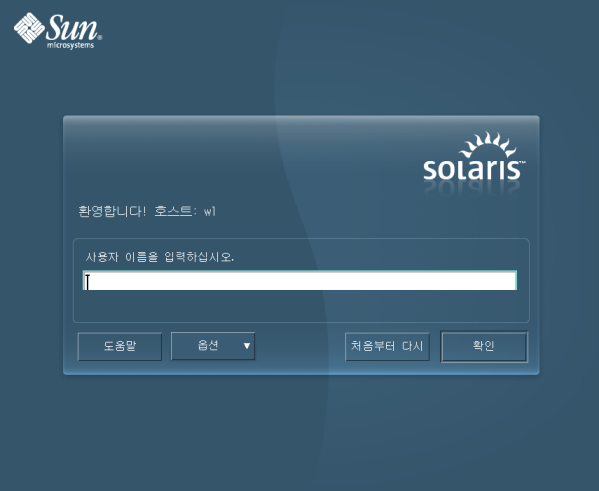
- 솔라리스 10의 최신 업데이트를 사용하고 있다면 아래와 같이 설치되어있는 것을 확인할 수 있다.
root@wl ~ # pkginfo | grep vnc
system      SUNWvncviewer                    VNC viewer client
system      SUNWxvnc                         X11/VNC server
root@wl ~ # svcs xvnc-inetd
STATE          STIME    FMRI
disabled       15:16:30 svc:/application/x11/xvnc-inetd:default
root@wl ~ # svcs -a | grep login 1)
disabled       14:20:42 svc:/application/gdm2-login:default
online         14:22:00 svc:/system/console-login:default
online         14:22:14 svc:/application/graphical-login/cde-login:default
root@wl ~ #
1) 솔라리스에서 사용할 수 있는 로그인 화면은 두가지다. 여기서는 cde-login 기준으로 설명한다.
- xvnc-inetd 서비스를 enable 하기 전에 /etc/services 에 VNC 포트(5900)를 등록해야 한다. 1)
root@wl ~ # vi /etc/services
...
vnc-server      5900/tcp                        # VNC Server Default port
root@wl ~ # svccfg -s cde-login
svc:/application/graphical-login/cde-login> setprop dtlogin/args=""
svc:/application/graphical-login/cde-login> exit
root@wl ~ # svcadm restart cde-login
root@wl ~ # svcadm enable xvnc-inetd
root@wl ~ # svcs xvnc-inetd
STATE          STIME    FMRI
online         15:16:48 svc:/application/x11/xvnc-inetd:default
root@wl ~ #
1) 포트를 등록하지 않은 채 xvnc-inetd를 시작했다면 아래와 같이 오류가 난다. 솔리리스의 SMF는 maintenance 상태로 된 경우, clear 해야 enable 시킬 수 있으므로, 미리 clear 해 놓는다.
root@wl ~ # svcs -xv xvnc-inetd
svc:/application/x11/xvnc-inetd:default (X server that displays to VNC viewers)
 State: maintenance since Fri Sep 18 15:42:47 2009
Reason: Restarter svc:/network/inetd:default gave no explanation.
   See: http://sun.com/msg/SMF-8000-9C
   See: man -M /usr/X11/share/man -s 1 Xvnc
Impact: This service is not running.
root@wl ~ # svcadm clear xvnc-inetd
- 만약 cde-login 이 아닌 gdm2-login 을 사용하고 있다면 /etc/X11/gdm/gdm.conf 파일을 수정해야 한다.
root@wl ~ # vi /etc/X11/gdm/gdm.conf
[xdmcp]
...
Enable=true
- 만약 세션을 공유하려면 아래와 같이 한다. 기본 설정대로 공유시키면 하면 보안에 문제가 있기 때문에 패스워드도 같이 걸어놓는다.
root@wl ~ # inetadm -l xvnc-inetd
SCOPE    NAME=VALUE
         name="vnc-server"
         endpoint_type="stream"
         proto="tcp"
         isrpc=FALSE
         wait=FALSE
         exec="/usr/X11/bin/Xvnc -inetd -query localhost -once securitytypes=none"
         user="noaccess"
default  bind_addr=""
default  bind_fail_max=-1
default  bind_fail_interval=-1
default  max_con_rate=-1
default  max_copies=-1
default  con_rate_offline=-1
default  failrate_cnt=40
default  failrate_interval=60
default  inherit_env=TRUE
default  tcp_trace=FALSE
default  tcp_wrappers=FALSE
default  connection_backlog=10
root@wl ~ # inetadm -m xvnc-inetd wait=TRUE exec="/usr/X11/bin/Xvnc -inetd -query localhost -once passwordFile=/var/vnc/.vnc/passwd -alwaysshared"
root@wl ~ # mkdir /etc/vnc
root@wl ~ # HOME=/etc/vnc vncpasswd
Password:
Verify:
root@wl ~ # ls -al /etc/vnc/.vnc/passwd
-rw-------   1 root     root           8  9월 18일  16:00 /etc/vnc/.vnc/passwd
root@wl ~ #